



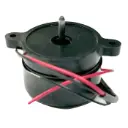
IceCap Smart RO/DI Controller Bracket Controller
SKU: IP-RI-BC01
- Direct OEM Smart RO/DI Fit: Factory-original replacement controller mounting bracket engineered specifically for the IceCap Smart RO/DI computerized control module.
- Secure Structural Cradle: Firmly holds the digital controller housing in place, preventing shifting, loose wiring connections, or accidental falls onto hard floors.
- Dual Mounting Flexibility: Attaches directly to the pre-drilled holes on the Smart RO/DI steel frame or mounts independently onto drywall, plywood, or equipment boards for remote viewing.
- Corrosion-Resistant Polymer: Molded from heavy-duty, marine-safe polymer that resists humidity, salt mist, and accidental water splashes common in fish rooms and utility spaces.
- Tool-Free Controller Removal: Snug snap-in cradle design allows the controller to be quickly lifted out for routine filter programming, cleaning, or sensor inspection.

IceCap
Premium aquarium equipment without the premium price. Protein skimmers, pumps, reactors, heaters & more.
IceCap Smart RO/DI Controller Replacement Bracket
The IceCap Smart RO/DI system sets itself apart by integrating automated water management, timed production cycles, leak detection, and digital 3-point TDS monitoring into a centralized electronic controller. Securing this digital unit in high-humidity fish rooms, basements, or utility spaces requires a dedicated, stable mount. The IceCap Smart RO/DI Controller Bracket (SKU: IP-RI-BC01 / IC-RI-BC01) is the official OEM replacement mounting bracket engineered specifically for the computerized controller of the IceCap Smart RO/DI System.
In daily operation, the controller module manages critical functions—tracking water purification metrics, activating membrane flushes, monitoring pressure switches, and signaling leak detection alarms. The IP-RI-BC01 mounting cradle securely anchors the controller to the system's electro-deposition-coated steel chassis frame, positioning the backlit LCD screen and tactile push buttons at a convenient viewing angle. Alternatively, the bracket can be wall-mounted remotely using standard fasteners, allowing aquarists to place the controller at eye level on an equipment board while positioning the filter canisters in an under-sink cabinet or floor stand. Over time, plastic brackets can suffer fatigue, become brittle from temperature shifts, crack around mounting screw holes, or break during relocations. Installing an authentic IP-RI-BC01 bracket restores stable, factory-level mounting security.
Ideal Replacement Scenario
If your original Smart RO/DI controller bracket has cracked, lost its retaining tabs, stripped out its chassis mounting holes, or was misplaced during a filtration setup overhaul, installing an authentic IP-RI-BC01 restores secure, wobble-free mounting for your system controller.
(Note: Package includes (1) IceCap Smart RO/DI Controller Replacement Mounting Bracket. Controller unit, power supply, and mounting screws sold separately).
What’s Included:
(1) IceCap Smart RO/DI Controller Replacement Mounting Bracket (IP-RI-BC01 / IC-RI-BC01)
(Note: Smart Controller unit, mounting screws, and wiring harness sold separately)
Technical Specs:
SKU / Factory Part Identifier: IP-RI-BC01 (IC-RI-BC01)
Material: Heavy-Duty High-Impact Molded Polymer
Mounting Style: Chassis Frame Mount / Wall or Board Mountable
Retention Mechanism: Contoured Friction-Fit / Snap-In Retaining Tabs
Primary Compatibility: IceCap Smart RO/DI System Controller (IC-RI1000)
Installation & Mounting Guidelines:
Unplug the power supply to the IceCap Smart RO/DI controller before servicing.
Gently tilt and slide the controller unit out of the damaged mounting bracket.
Unscrew the fasteners holding the old bracket to the RO/DI steel chassis frame or mounting wall.
Position the new IP-RI-BC01 bracket against the chassis frame or mounting surface, aligning the pre-molded mounting holes.
Secure the bracket in place using appropriate mounting screws (tightening by hand with a manual screwdriver to avoid overtightening).
Guide the sensor wiring leads and power cables cleanly through the designated rear cable clearance openings.
Press the Smart RO/DI controller firmly into the cradle until it seats securely against the retaining tabs.
Reconnect the power transformer and verify that all sensor connections remain unhindered.
Pro Tips:
- Position the Controller Away from Splashing and Drain Lines. While the Smart RO/DI controller is designed for utility environments, it houses sensitive microprocessor electronics and an LCD screen. Ensure the bracket is mounted away from open drain lines or high-pressure bypass flush outlets to prevent prolonged exposure to direct water mist.
- Fasten Securely to Relieve Strain on Wiring Leads. The Smart RO/DI controller connects to multiple wiring harnesses, including the 3-point digital TDS probes, booster pump leads, high/low pressure switches, and leak detector. Mounting the IP-RI-BC01 bracket solidly eliminates cable strain and prevents loose pin connections caused by the controller shifting or dangling during water production.